 Polly3D Documentation
Getting started
Introduction
Polly3D lets you build 3D scenes in a dedicated editor and display them live inside After Effects, lit and rendered by the same engine.
What is Polly3D?#
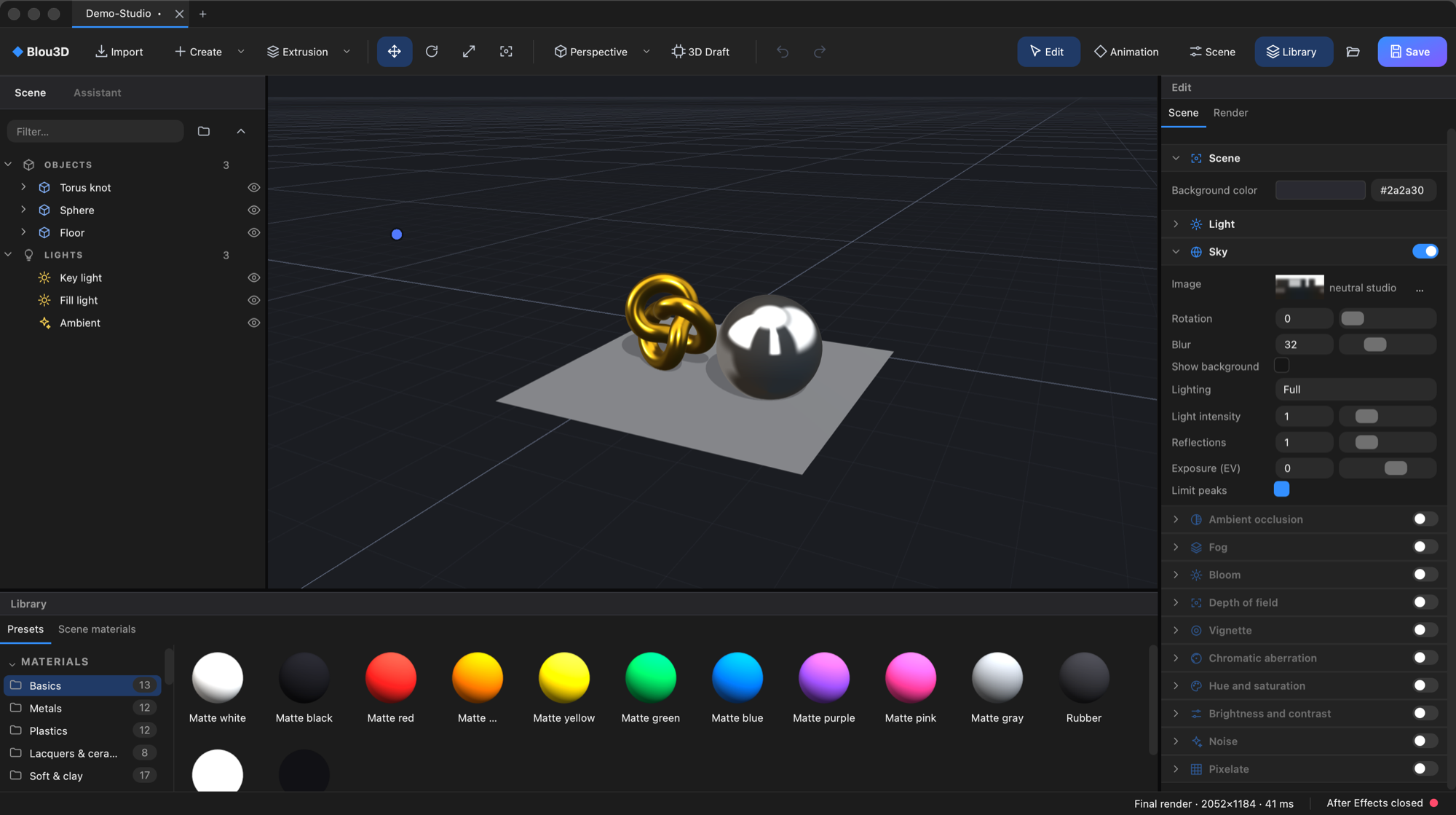
Polly3D is made of two parts that read the same scene file (.polly) and use the same render engine, so what you see in the editor is what you get in After Effects:
- Polly3D Studio is the 3D editor. You create shapes, text, paths and lights, dress them with layered materials, set up the mood of the scene (sky, fog, bloom…), and animate it.
- The Polly3D effect (Effect > Polly3D > Polly3D) is an After Effects plugin. It displays the scene on a layer of your composition, follows the composition's 3D camera and lights, and exposes sliders, nulls and layers so that After Effects can drive the scene.
What you can do with it#
- Build 3D scenes quickly. Fourteen parametric primitives (cube, sphere, torus, backdrop…), flat shapes, Bézier paths with a profile swept along them, imported models (OBJ, glTF/GLB, FBX, STL, PLY) and 3D text taken from After Effects text layers.
- Dress them with layered materials. A material is a stack of layers (Color, Gradient, Texture, Matcap, Fresnel, Rainbow, Noise, Glass, Toon, Outline…). A library of ready-made materials, glass looks and sky panoramas is included.
- Animate without leaving the tools you know. Keyframes and procedural drivers (sine, wiggle…) in Studio; sliders (Connectors) and null objects (Aux channels) in After Effects for everything else.
- Clone objects. The Cloner repeats an object on a grid, a line, a circle, a sphere or along a path, and Effectors (Random, Noise, Step, Spline) move, rotate and scale the copies.
- Let an AI assistant build for you. Studio contains an MCP server: Claude, Cursor, Codex and other assistants can create and adjust the scene with the same tools you use.
How the documentation is organised#
Getting startedInstall Polly3D and build your first scene in a few minutes.
InterfaceThe panels, the toolbar and the viewport.
MaterialsLayers, Glass, textures and the library.
After Effects pluginEvery parameter of the effect.
Names of buttons, panels, parameters and effects are written exactly as they appear in the interface, in English, in both languages of this documentation.
Requirements#
| Computer | Mac with Apple Silicon (M1 or later) |
| System | macOS 12 or later |
| After Effects | 2025 or later (25.6 tested). The editor works on its own without After Effects. |
| Disk | A few GB for caches (textures and imported models are cached; you can set the limit in Preferences) |