 Polly3D Documentation
Scene settings
Background, ambient light, Sky, ambient occlusion, fog and the post-processing effects of the Scene tab.
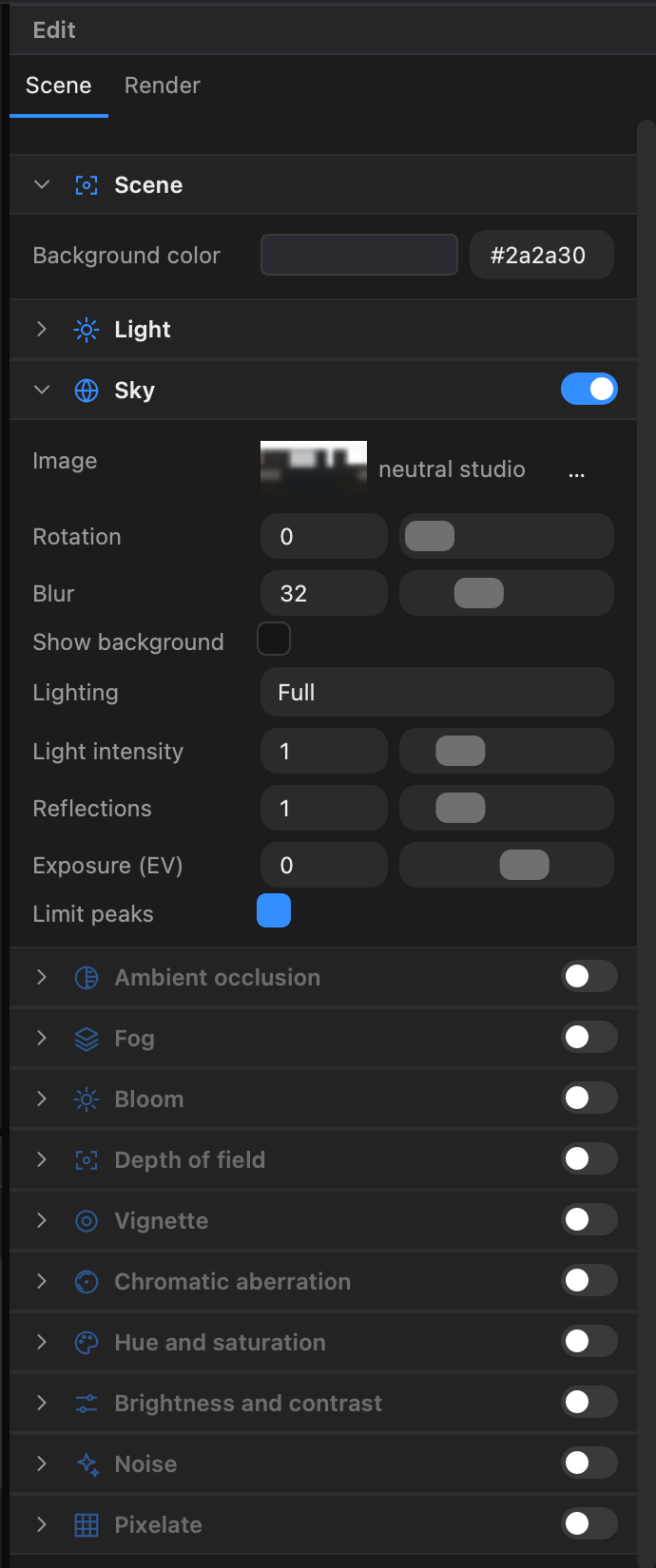
Click Scene in the toolbar, or click on empty space to deselect everything: the Edit panel then shows the Scene and Render tabs. The Scene tab holds the mood of the scene; the Render tab (see Render settings) holds quality settings. Sections with a switch in their title are effects you turn on and off.
Scene#
| Setting | Meaning |
|---|---|
| Background color | The color behind the scene (default dark grey). In After Effects you usually want a transparent background so the scene composites over your footage: a scene with no background color is transparent, and the AI assistant's set_background tool can switch to that. The Sky can also be shown as the background |
Light#
The ambient light, a uniform light with no direction that stops shadows from being pure black. The sun and the other lights are objects of the scene (see Lights).
| Setting | Meaning |
|---|---|
| Ambient | Switch |
| Color | Color of the ambient light (default light grey) |
| Intensity | 0–5 (0.75) |
In After Effects, Scene Ambient in the Lighting group multiplies this value.
Environment#
In the Scene tab this section is called Environment. A panorama (an HDRI picture) that lights the scene, is reflected in shiny surfaces and glass, and can be shown (blurred) behind the scene. Turning Sky on picks a neutral studio panorama by default.
| Setting | Meaning |
|---|---|
| Image | The thumbnail (click it to open the floating Environment window: preview, exposure, levels…) and a … menu: Load a file… (.hdr, .exr, .png, .jpg, .webp, .tif) or one of the skies of the library (photo studios, clear and cloudy skies, dusk…) |
| Rotation | 0–360°. Turns the panorama, i.e. moves the sun and the reflections |
| Blur | 0–100 (0). Blur of the sky when it is shown as the background |
| Show background | Shows the sky behind the scene |
| Lighting | Off, Low (diffuse light only) or Full |
| Light intensity | 0–5 (1). Strength of the sky's lighting |
| Reflections | 0–5 (1). Strength of the sky's reflections in shiny surfaces (0: none), independent of the lighting |
| Exposure (EV) | −8 to +5 (0). Brightens or darkens the sky's lighting and reflections, in stops |
| Limit peaks | Limits the sun and softboxes of an HDRI so that they do not burn out the scene |
Ambient occlusion#
Darkens contact areas and crevices for more depth. Switch on, then:
| Setting | Meaning |
|---|---|
| Radius | 0–2000 (256) |
| Bias | 0–0.99 (0.5) |
| Color | Color of the occlusion |
| Full resolution | Computes at full resolution (slower, cleaner) |
Fog#
| Setting | Meaning |
|---|---|
| Background color | Uses the scene background color for the fog |
| Color | The fog color |
| Start | 0–100000 (0.1) |
| End | 0–100000 (2000) |
Post-processing effects#
Each effect has a switch in its title. They apply to the whole image.
| Effect | Settings (default) |
|---|---|
| Bloom | Intensity (1), Threshold (0.25), Smoothing (0.025), Blur (1), Opacity (1). A glow around bright areas: pair it with emissive materials |
| Depth of field | Focus distance (100), Sharp range (20), Bokeh (5). Blurs what is not at the focus distance |
| Vignette | Darkness (1), Offset (0), Opacity (1). Darkens the corners |
| Chromatic aberration | Offset X, Offset Y (2). Color fringes at the edges |
| Hue and saturation | Tint (hue), Saturation |
| Brightness and contrast | Brightness, Contrast |
Resetting#
Right-click a section title for Copy values, Paste values and Reset to default — handy to copy a mood from one scene to another.